Blackmagic Videohub
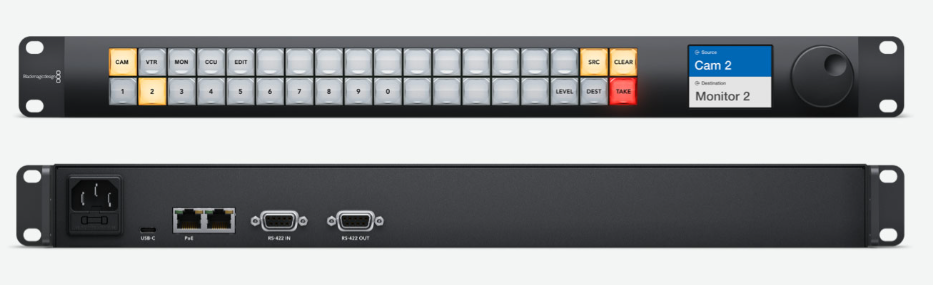
Blackmagic Design's Videohub Smart Control and Videohub Master Control hardware panels (and their newer 'Pro' versions) can be used to control any router connected to RouteMaster VR, regardless of make. Here's how to set them up.
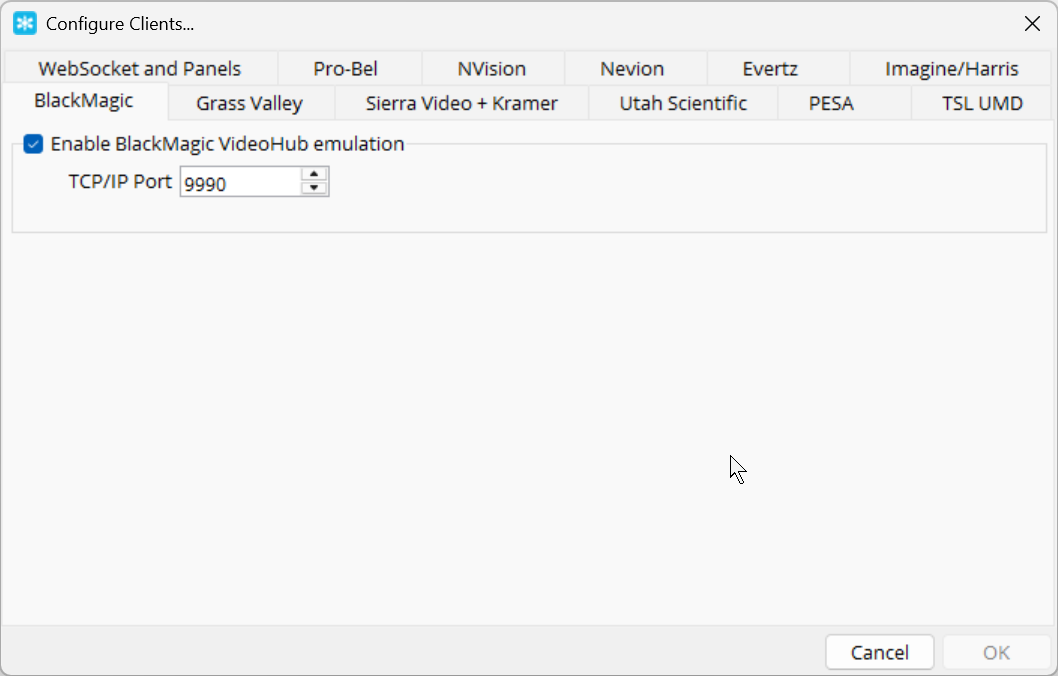
 Enable Videohub emulation in the Client configuration dialog. The TCP/IP port should be 9990
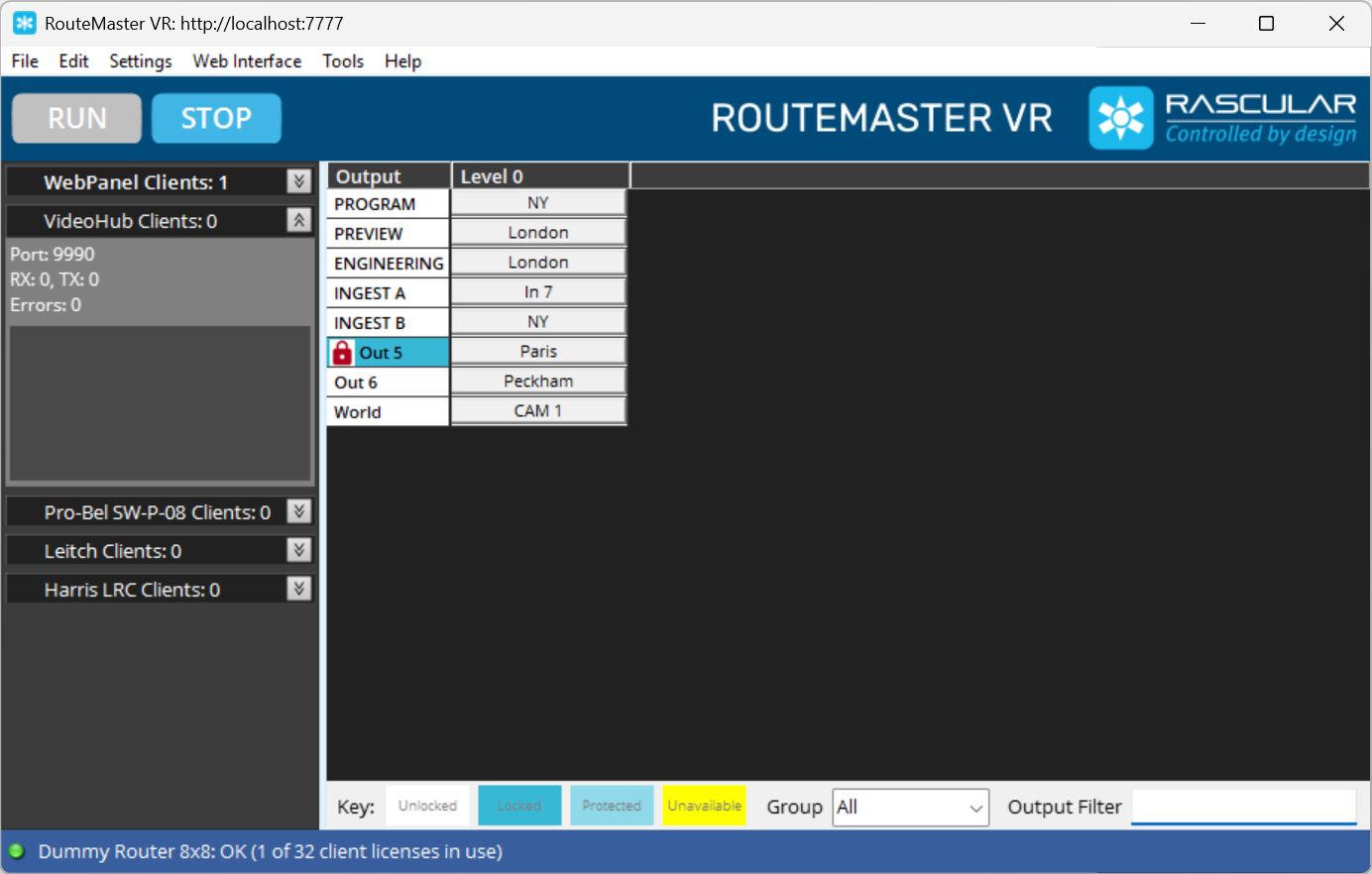
Make sure your router is correctly configured and connected to RouteMaster VR, and can be controlled from the RouteMaster VR main screen.
Next, we need to configure the panel to communicate with RouteMaster VR. Start the BlackMagic Videohub Setup Utility, and locate the panel you wish to configure.
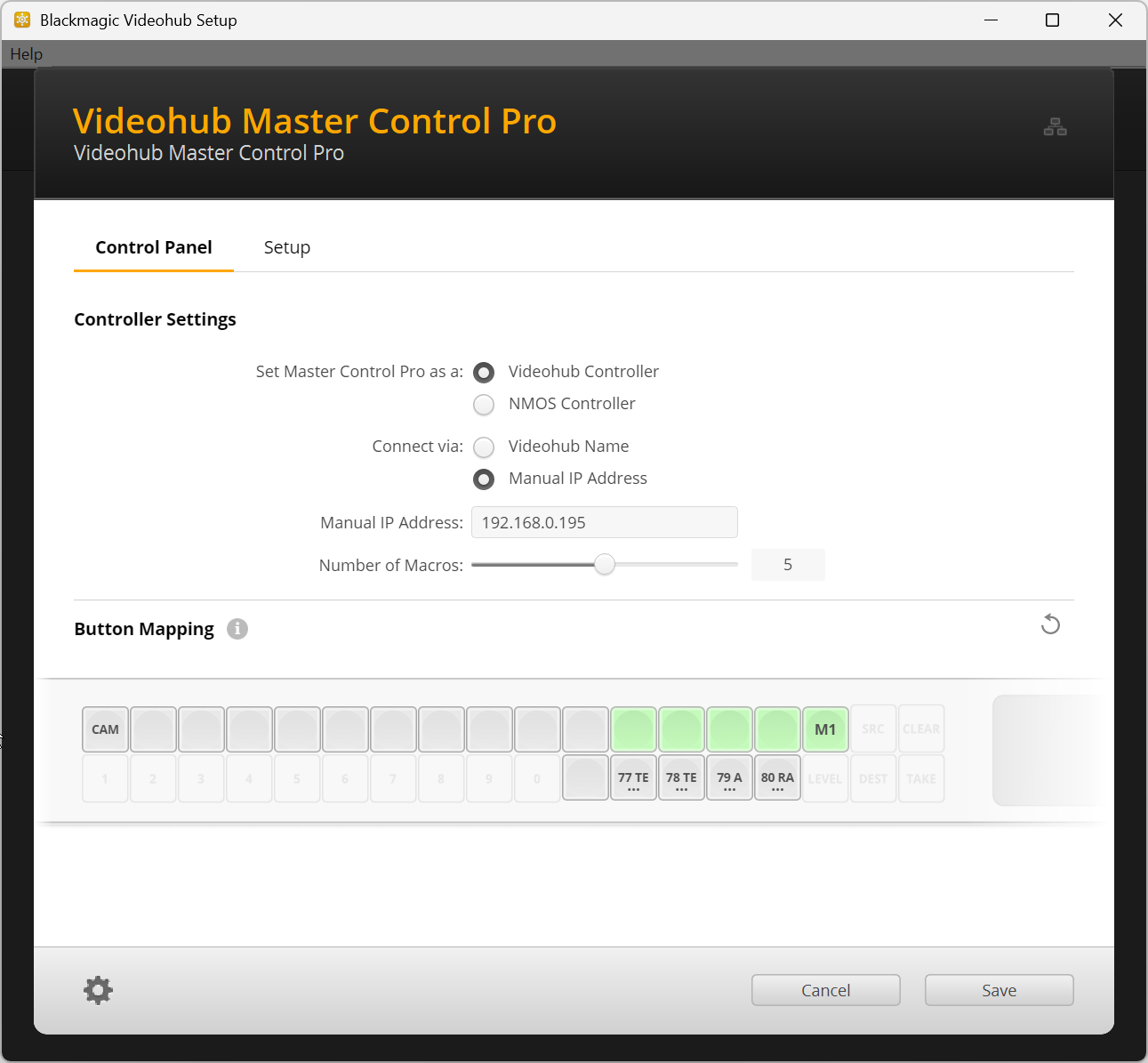
The panel must be a Videohub Controller, and the IP address of RouteMaster VR needs to be manually entered.
If successful, you'll see the panel IP shown in the RouteMaster VR main screen, and the panel will show the current router state.
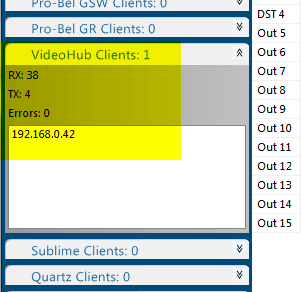
Programming the panel for source and destination selection is performed using Blackmagic's utility in the same way as for a regular Videohub router.
Configuring Salvos from Videohub Panels
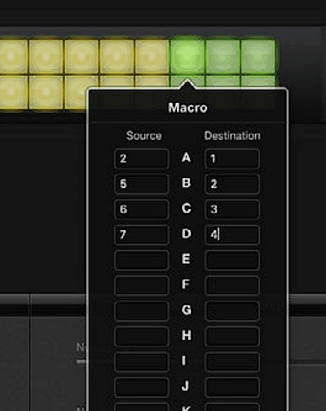
You can use the regular Videohub 'Macro' capability to define salvos directly in the panel. Each salvo can make up to 16 routes at once. These are sent to RouteMaster VR as a sequence of individual commands.
Other Compatible Devices
Many other control panels and interfaces use Videohub protocol to control routers, and can be used successfully with RouteMaster VR. Here's a few we've used.
- Blackmagic GPI Tally interface
- Elgato Streamdeck (with Bitfocus Companion)
- Skaarhoj panels
Troubleshooting
There are two common problems that you may encounter. The first is that RouteMaster VR cannot use port 9990 because another application is already doing so. If this happens, you'll see the Videohub client shown in red when Menu/Settings/View Client Info is selected.
Hovering over the red banner will show an error message.
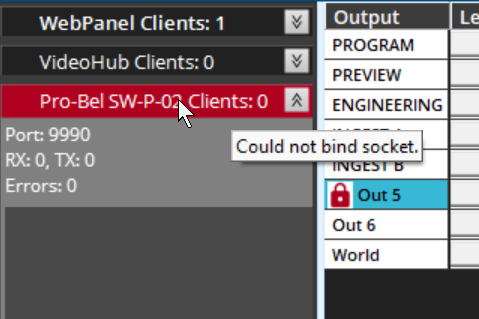
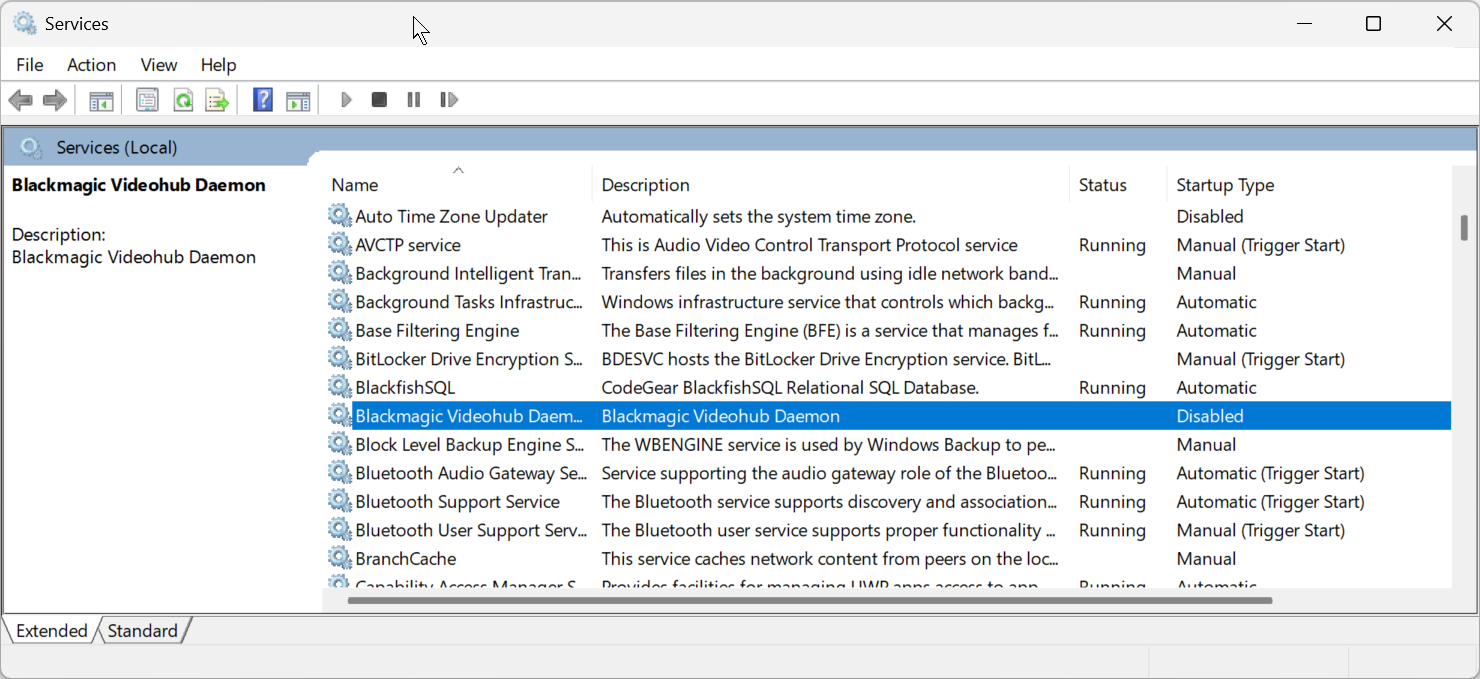
"Could not bind socket" means that other software on this PC is already listening on port 9990. The usual culprits for this are the Windows Services for "Blackmagic Videohub Daemon" and "NVidia Network Service". If these services are installed, please make sure these Windows services are both stopped and disabled.
The second potential problem is a common one when using RouteMaster VR: Any firewall software or systems must be configured to allow the RouteMaster VR PC to receive incoming connections on port 9990. If you believe this is a problem consult your IT administrator.