Source Failover
RouteMaster VR's Source Failover system allows a failed video source to be temporarily replaced with a suitable backup source. Each input on the router can have another router input designated as it's failover source. When an input with a designated failover is marked as failed , RouteMaster VR automatically routes the failover source to all outputs that were receiving the failed source.
Note
Currently this feature is only supported in RouteMaster VR for NDI routing. Other protocols that provide source status information will be added in future.
Source can marked as failed manually via the RouteMaster VR UI, or remotely via WebSocket or REST Control APIs.
For NDI virtual routers, failed sources can be automatically detected if they are removed from the network. 'Failover revert' allows the backup source to be reverted to the original when it's detected back online.
Reverting to a previously a failed source
Note that making a manual route to an output clears the 'revert' state for that output. Let's assume CAM1 is router to outputs A and B. CAM1 fails, and CAM1 BAckup is automatically routed to A and B instead. An operator now chooses to route CAM2 to B. When CAM1 comes back online, it will be routed to output A, but B remains on CAM2.
Note that the 'failed' status of sources is not preserved across restarts of RouteMaster VR. If a source fails, and RouteMaster VR is then restarted for any reason, the failover switches will not revert when the source comes back online.
Notes on Automatic NDI Failover
- A source is only marked as failed automatically when it disappears from the NDI network. Black, silence and similar conditions cannot be detected.
- Failover happens only at the point when a failed source goes offline. If the failed source is subsequently routed to another output, the failover source is NOT used.
- The failover will not happen if a source is already offline when RouteMaster VR starts running.
Configuring Failover Sources
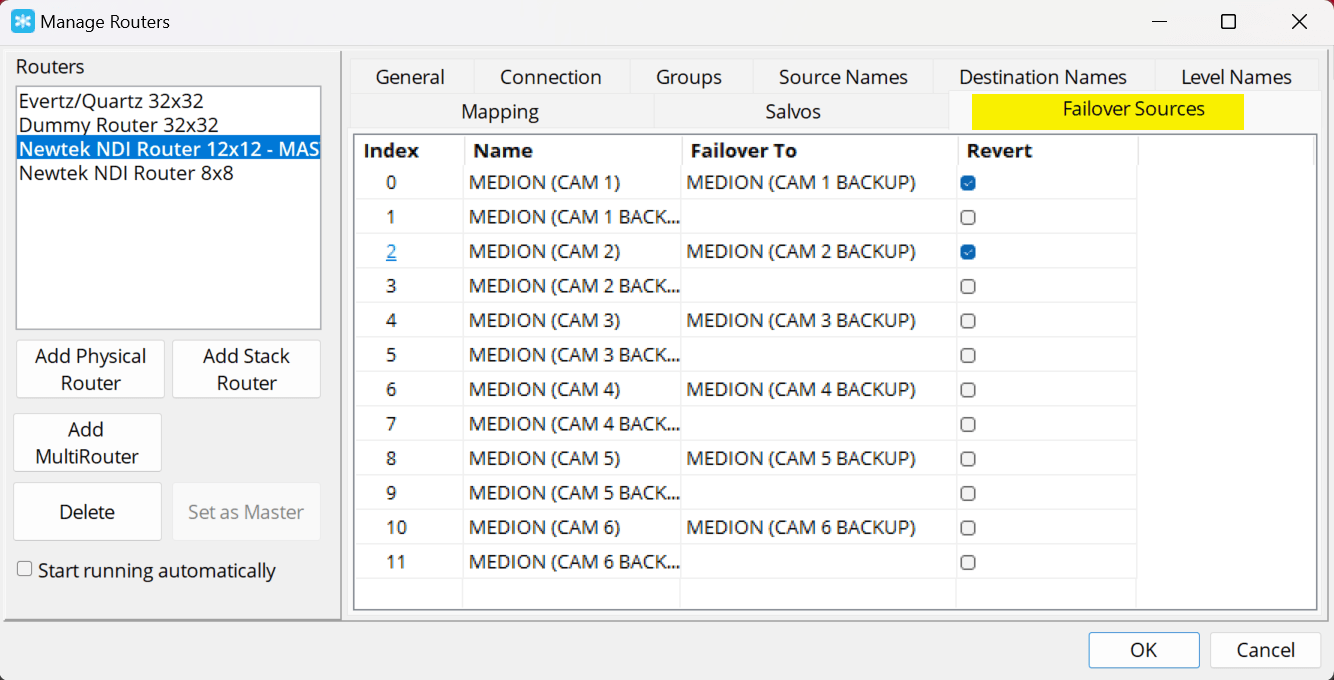
The Failover Sources tab allows a Failover source to be configured for each source on the router. For NDI, the Revert checkbox for each source determines if a failed source is automatically re-routed when it's detected online again.
Manually Failing and Reverting sources
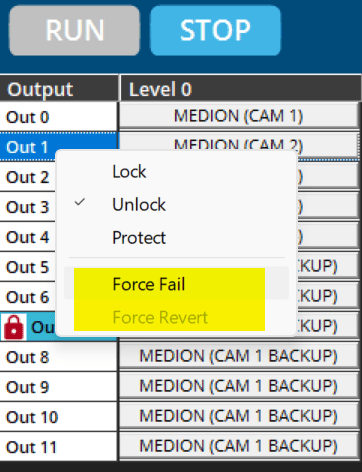
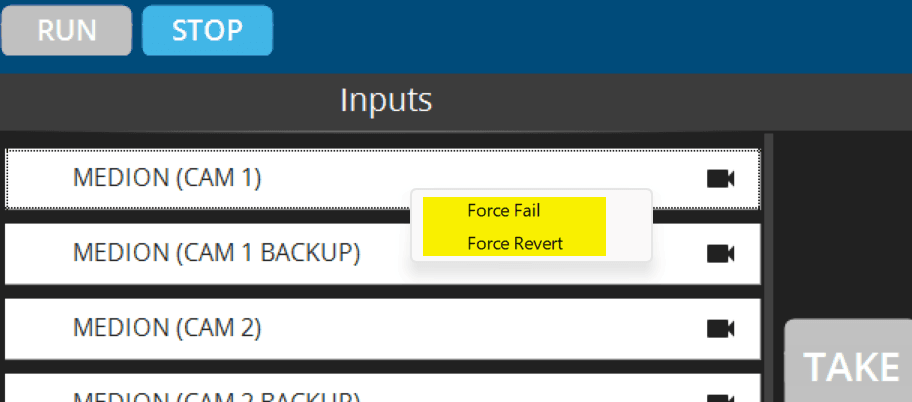
Right-clicking on an Input in the RouteMaster VR Arm and Take UI will show a popup menu with choice to fail or revert the selected input, as appropriate. A similar menu appears if you click on an output - in this case, the source currently feeding the output will be failed. When reverting an output, the previously 'failed' source will be routed to the selected output.
A similar menu is available by clicking on an output in the Classic Grid UI.