NDI Routing
RouteMaster VR introduces NDI routing capabilties to the RouteMaster VR family.
By emulating a virtual NDI matrix, users can control their NDI routing from hardware panel, software panels, web browsers and third party systems just like a conventional video matrix.
Rather than directly connecting an NDI sender to an NDI receiver, RouteMaster VR generates a new 'pseudo-NDI' source for each of the matrix outputs. These pseudo-NDI signals are discoverable as NDI sources on the network, and can be directly used by any NDI-compatible receiver.
In essence, RouteMaster VR is just informing the NDI receivers of the 'true' address of the source currently routed to each output. No video data flows through the RouteMaster VR system, which makes the system very scalable and responsive, even with large matrices.
Another major advantage of this is that RouteMaster VR is not a single point of failure for the video signals. If RouteMaster VR goes down, the originating NDI sources will still be present on the network, and the receivers will still be able to receive the video from them. The only thing that stops working is the ability to change routes.
Configuration
To add an NDI virtual matrix to RouteMaster VR, Select "Add Router" and choose "NDI Router" from the dropdown. Once added, you can configure the size of the matrix and other parameters in the Connection Settings page.
As video, audio and metadata are all routed together, the NDI matrix needs just a single level.
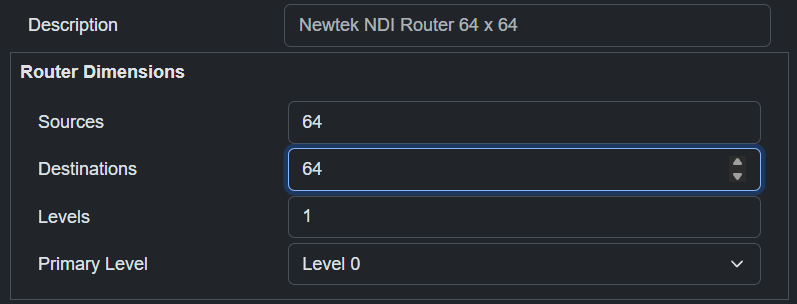
Connection Configuration
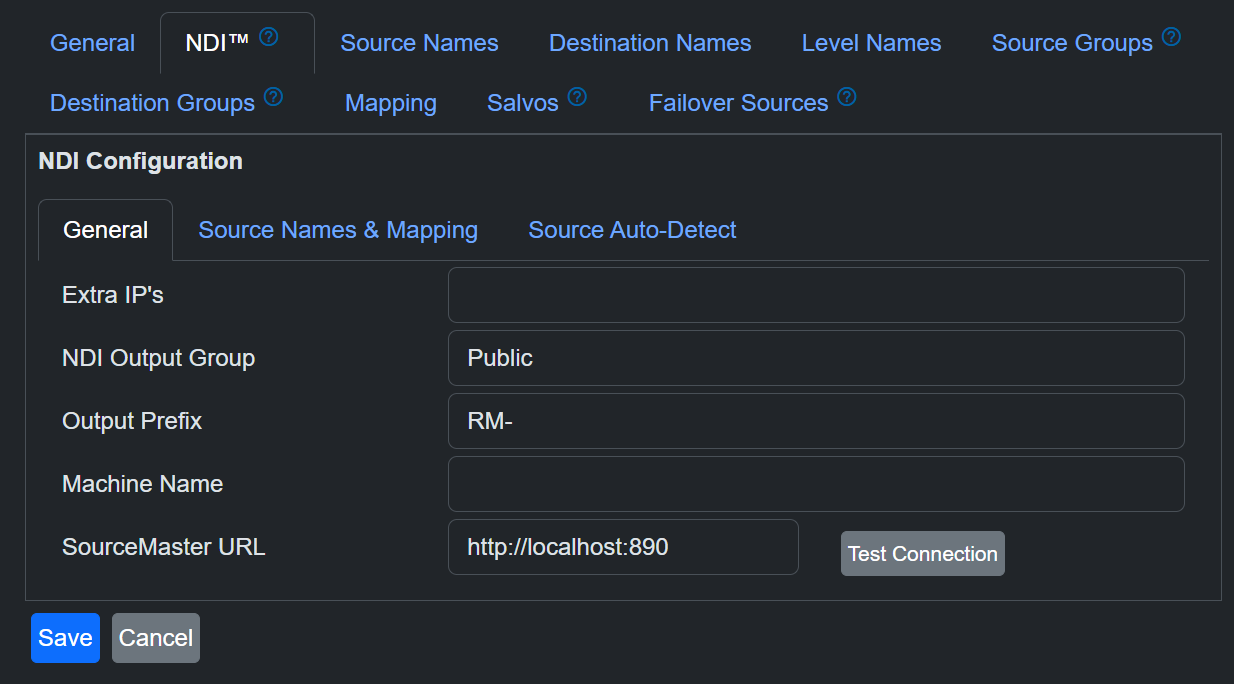
RouteMaster VR has several options that control how NDI sources are handled.
-
Extra IP's
Normally, RouteMaster VR uses NDI Discovery Service (or mDNS) to discover NDI sources on the network. IP Addresses of additional NDI source can be entered here. -
NDI Output Group This sis the NDI group theat RouteMaster VR's outputs are assigned to, and defauilts to "Public". This can be used to control the visibility of the outputs on the network.
In addition, the Output groups created in RouteMasters' Group settings are also included in the group information for the NDI outputs.
-
Output Prefix: The names of the NDI ooutputs are generated from the names configured in RouteMaster VR, but also have a prefix added to make them easily identifiable as coming from RouteMaster VR. By default, this prefix is "RM-".
-
Machine Name NDI sources are identified by unique names of the form "MachineName (SignalName)", so a typical RouteMaster VR output might be "MyPC (RM-Out 44)" where "MyPC" is the name Windows uses for the PC. The
Machine Nameoption allows your to override this. -
SourceMaster URL Used for Integration with Rascular's SourceMaster NDI management and monitoring system.
Assiging NDI sources to inputs
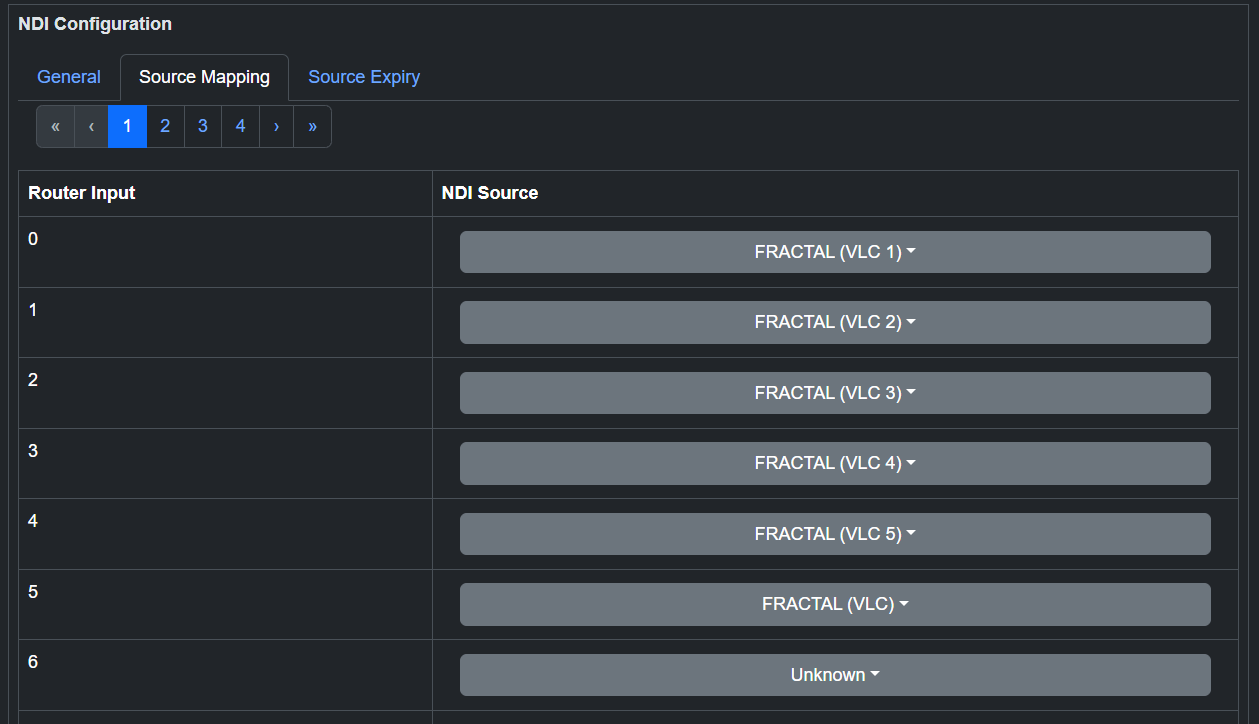
Because RouteMaster VR exposes a virtual matrix with numbered inputs, we need a way to assign the incoming NDI sources to those inputs. This is done using the NDI Source Assignment page, which is accessed from the Settings menu.
Dropdown lists with filtering help you quickly locate the desired sources.
Source Auto-Detection
-
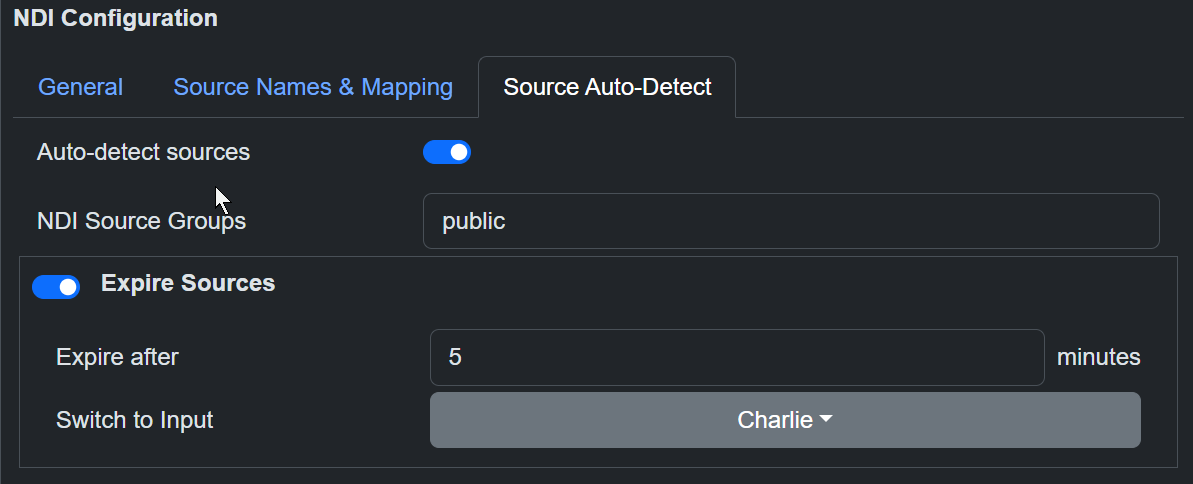
Auto-Detect sources When enabled, RouteMaster VR will automatically add any discovered NDI sources to the list of available sources for routing. When disabled, only sources that have been manually added to the list will be available for routing. We strongly recommend disabling this option for production systems and manaully assigning NDI sources to inputs, as this will prevent sources accidentally being assigned to different inputs when RouteMaster VR is restarted.
-
NDI Source groups When using Auto-Detect, only sources in the specified NDI groups will be detected and used as inputs to the matrix.
-
Expire Sources When enabled, any auto-detected sources thet disappear from the network will be automatically be deallocated from router inputs. Another auto-detected source can then take their place.
-
Switch to Input When any source is marked as 'expired', any router ouputs using it will be automatically switched to the chosen input.
Note
If you have manually assigned sources to some inputs of the router, Auto-Detect will only assign sources to the unassigned inputs. This allows you to have a 'core' set of manually assigned sources, but also have additional sources automatically detected and made available for routing.
Operation
Operation of the NDI router is the same as any other router in RouteMaster VR. Routes can be made from hardware panels, software panels, web browsers and third party systems just like a conventional video matrix.
However, when using the "Arm and Take" control interface, you can preview the video being routed, and see audio levels on meters.. The Settings/Control Interface menu allows you to select video quality and the number of audio channels to meter.